Upstream
Upstream
  • Product
    24/7 Live Streaming Run cloud channels that stay live around the clock. Live Studio Invite guests, share screens, and add branded overlays in the browser. Multistreaming Send one live feed to YouTube, Twitch, Kick, and RTMP endpoints. Pre-recorded Live Streaming Upload pre-recorded videos & Go Live without the stress of live production. Free plan 24 hours a month with no watermark. Multi-channel streaming Separate live channels from one account. Enterprise Setups for teams, labels and agencies.
  • Features
    Scheduling Streams that start and end on their own. Multichat Every platform's chat in one feed. Overlays Layers and widgets in Stream Designer. Stings, jingles and ads Inserts that play between your videos. Playback controls Skip or play any file while you stay live. Audio and video playlists Loop music and visuals separately. Team access Invite your team, each with their own role. RTMP server Stream in from OBS or any encoder. Live Streaming API Run streams, media and queues from code. MCP Server Manage streams from your AI assistant. All features Everything Upstream does, on one page.
  • Platforms
    YouTube live streaming Twitch live streaming Kick live streaming Facebook live streaming Instagram live streaming TikTok TikTok live streaming Rumble live streaming Mixcloud live streaming 30+ more Plus any custom RTMP or SRT destination.
    Platform limits Bitrate and duration caps for each platform. Integrations Setup guides for OBS, vMix, cameras and more. VTuber Streaming Go live with your avatar on every platform.
  • Resources
    Blog Guides and ideas for live streams. Release Notes What's new in Upstream. Free Tools Video, audio and setup tools. Helpdesk Setup help and troubleshooting. Live Streaming FAQ Quick answers about going live. Compare Upstream Upstream vs Restream and more.
  • Pricing
Login Sign up for free
Always-on 24/7 Live Streaming Run cloud channels that stay live around the clock.
Explore
Real-time live Live Studio Invite guests, share screens, and add branded overlays in the browser.
Explore
One stream, 30+ platforms Multistreaming Send one live feed to YouTube, Twitch, Kick, and RTMP endpoints.
Explore
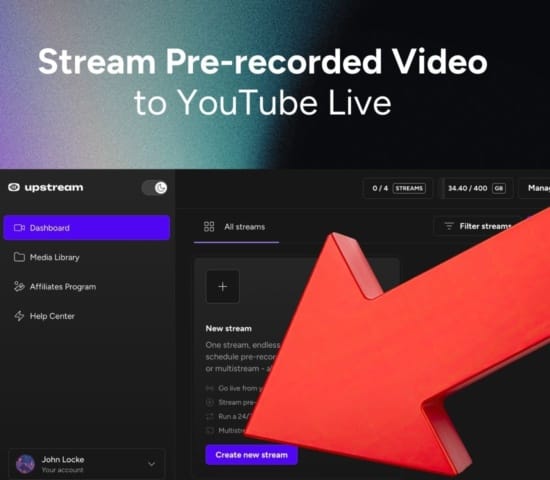
Schedule & Automate Pre-recorded Live Streaming Upload pre-recorded videos & Go Live without the stress of live production.
Explore
Free plan 24 hours a month with no watermark.
Multi-channel streaming Separate live channels from one account.
Enterprise Setups for teams, labels and agencies.
Scheduling Streams that start and end on their own. Multichat Every platform's chat in one feed. Overlays Layers and widgets in Stream Designer. Stings, jingles and ads Inserts that play between your videos. Playback controls Skip or play any file while you stay live. Audio and video playlists Loop music and visuals separately. Team access Invite your team, each with their own role. RTMP server Stream in from OBS or any encoder.
Live Streaming API Run streams, media and queues from code.
MCP Server Manage streams from your AI assistant.
All features Everything Upstream does, on one page.
YouTube live streaming. 24/7 channels with midroll ads. Twitch live streaming. Streams restart on their own at 48 hours. Kick live streaming. Stay live with your computer off. Facebook live streaming. Schedule lives that start on their own. Instagram live streaming. Go live from your browser or the cloud. TikTok TikTok live streaming. Go live on TikTok and Instagram at once. Rumble live streaming. Add Rumble to your YouTube or Kick stream. Mixcloud live streaming. DJ sets and radio shows from your browser. 30+ more Plus any custom RTMP or SRT destination.
Platform limits Bitrate and duration caps for each platform.
Integrations Setup guides for OBS, vMix, cameras and more.
VTuber Streaming Go live with your avatar on every platform.
Blog Guides and ideas for live streams. Release Notes What's new in Upstream. Free Tools Video, audio and setup tools. Helpdesk Setup help and troubleshooting. Live Streaming FAQ Quick answers about going live. Compare Upstream Upstream vs Restream and more.
Multistreaming, live studio & scheduling Multistreaming, live studio, and scheduled streams

24/7 YouTube Live Stream
Pre-Recorded Videos

Schedule a YouTube live stream from pre-recorded videos, go live from your browser, multistream to major platforms, or run a 24/7 channel from the cloud.

Start Streaming Free 24 hours each month on the free plan. No credit card. Officially certified YouTube
Upstream product demo video previewYour browser does not support the video tag.
4 ways to stream

Start with 24/7. Expand into every way you stream.

Keep your 24/7 YouTube stream running from the cloud, then use the same account to schedule pre-recorded streams, host podcasts and guest shows in Live Studio, or multistream to YouTube, Twitch, Facebook, Kick, Rumble, and custom RTMP.

Start Streaming Free
24/7 Live Streaming workflow preview
24/7 Live Streaming

Create a 24/7 live stream in the cloud.

Upload your videos, build a continuous stream, and keep a 24/7 live stream running with your computer off. Add Live Studio, pre-recorded scheduling, or multistreaming when you need more reach.

Explore 24/7 Streaming
Pre-recorded Videos workflow preview
Pre-recorded Videos

Schedule pre-recorded videos as live streams.

Build a pre-recorded live stream from finished videos, arrange the run order, and let Upstream handle cloud playback instead of tying up a local computer.

Explore Pre-recorded Videos
Live Studio workflow preview
Live Studio

Host live podcasts and guest shows in your browser.

Use a browser-based live studio to invite guests, share screens, manage scenes, and add branded overlays for podcasts, webinars, interviews, and live shows.

Explore Live Studio
Multistreaming workflow preview
Multistreaming

Multistream to multiple platforms from one feed.

Go live to YouTube, Twitch, Kick, Facebook, Rumble, and custom RTMP destinations without managing a separate stream for each platform.

Explore Multistreaming

Trusted by the biggest names in industry

Used across broadcast, streaming, and entertainment

Upstream helps teams schedule, manage, and deliver reliable live channels without adding operational overhead.

Disney Disney Disney
Eurovision Eurovision Eurovision
NBCUniversal NBCUniversal NBCUniversal
Pinkfong Pinkfong Pinkfong
Red Bull Red Bull Red Bull
Disney Disney Disney
Eurovision Eurovision Eurovision
NBCUniversal NBCUniversal NBCUniversal
Pinkfong Pinkfong Pinkfong
Red Bull Red Bull Red Bull
Disney Disney Disney
Eurovision Eurovision Eurovision
NBCUniversal NBCUniversal NBCUniversal
Pinkfong Pinkfong Pinkfong
Red Bull Red Bull Red Bull
Disney Disney Disney
Eurovision Eurovision Eurovision
NBCUniversal NBCUniversal NBCUniversal
Pinkfong Pinkfong Pinkfong
Red Bull Red Bull Red Bull
For up to 10 platforms!

Multistream to any social platform

Stream live to YouTube, Twitch, Facebook, TikTok, Kick, Rumble, and any RTMP destination - all at the same time. Reach your entire audience whatever platform they prefer to watch, with support for up to 10 platforms simultaneously.

Multistream to YouTube, Twitch, Facebook, TikTok, Kick, and Rumble at the same time
Animated multistreaming platform grid

Who is Upstream for?

Turn playlists, performances, interviews, and radio-style programming into a polished live channel. Build branded visuals, keep your schedule moving, and give fans a stream worth returning to.

Bring gameplay, commentary, tournaments, and community shows together in one live workflow. Add guests and branded scenes, schedule finished videos, or send the stream to every platform where your players watch.

Help churches and faith communities stream services, ceremonies, meditations, and community events. Reach people live or on a dependable schedule without keeping a local computer running.

Run webinars, product demos, live shopping, company updates, and branded broadcasts from the browser. Invite speakers, reuse finished media, and reach multiple destinations from one production.

Produce live updates, interviews, recurring programs, and breaking coverage with a workflow built to move quickly. Keep a channel active between live moments with scheduled and always-on programming.

Host video podcasts from your browser. Bring co-hosts and guests on with a link, add your show's name card and lower thirds, and stream every episode to all your platforms at once.

Upstream also works for fitness, education, cooking, travel, nonprofits, and any team building a repeatable live format. Start with the workflow that fits and expand as your audience grows.

studio.upstream.so

Midnight Radio

Stopped More actions18.2 / 100GB Preview ⌘ P Save ⌘ S Publish changes
Background Audio Stream designer Live Studio Activity graphs Stream settings Save preset Load preset
Stream canvas (1920x1080)
MIDNIGHT FM IN THE MIX
Night Window 00:34 / 02:00
UP NEXT City Lanterns
ON AIR Midnight FM: Night Window
DeleteDuplicateUngroup··· Options
Layers Design Templates Components Animations Help Collapse

Layers

On Air Station Bug
Dock Next Title Dock Next Label Dock Duration Dock Progress Dock Current Title Station Short Name Editorial Dock

Ready-to-use templates

70 layouts
Search templates All templatesAllCreate from selected group 70 templatesRecommended
18:42 LIVE
BREAKING NEWS City council approves new tram line
LATEST: Storm warning lifted for the coast•Markets close higher for a third day•Stadium tickets sell out in an hour•LATEST: Storm warning lifted for the coast•Markets close higher for a third day•Stadium tickets sell out in an hour•
Breaking News Rail News · 10 elements Live bug, headline strap, and editable scrolling ticker. Manual copy Insert template Edit
ON AIR Midnight FM: Night Window
On Air Station Bug Radio · 5 elements On-air station mark with dynamic current-track metadata. Live track Insert template Edit
1 Pick one of 70 ready-made templates 2 Track titles update as it plays
studio.upstream.so

Game Night

Stopped More actions18.2 / 100GB Preview ⌘ P Save ⌘ S Publish changes
Background Audio Stream designer Live Studio Activity graphs Stream settings Save preset Load preset
Stream canvas (1920x1080)
STARTING IN04:59
LIVE CHAT
pixelpanda first stream here, hi! NeonNinja that drone build is clean kai_plays gg, run it back moth when is the tournament?
NeonNinjajust followed!
Layers Design Templates Components Animations Help Collapse

Layers

StreamElements alerts StreamElements chat Neon cam frame Starting soon countdown Live sources

Ready-to-use templates

70 layouts
Search templates All templatesAllCreate from selected group 70 templatesRecommended
18:42 LIVE
BREAKING NEWS City council approves new tram line
LATEST: Storm warning lifted for the coast•Markets close higher for a third day•Stadium tickets sell out in an hour•LATEST: Storm warning lifted for the coast•Markets close higher for a third day•Stadium tickets sell out in an hour•
Breaking News Rail News · 10 elements Live bug, headline strap, and editable scrolling ticker. Manual copy Insert template Edit
1 Embed StreamElements alerts and chat 2 Turn any layer on or off in one click
studio.upstream.so

Sunday Service

Scheduled More actions18.2 / 100GB Preview ⌘ P Save ⌘ S Publish changes
Background Audio Stream designer Live Studio Activity graphs Stream settings Save preset Load preset
Stream canvas (1920x1080)
Sunday Service Welcome to our community
LIVE 10:30
DeleteDuplicateUngroup··· Options
Layers Design Templates Components Animations Help Collapse

Layers

Live News Bug + Clock
Event Venue Event Title Event Rail

Ready-to-use templates

70 layouts
Search templates All templatesAllCreate from selected group 70 templatesRecommended
18:42 LIVE
BREAKING NEWS City council approves new tram line
LATEST: Storm warning lifted for the coast•Markets close higher for a third day•Stadium tickets sell out in an hour•LATEST: Storm warning lifted for the coast•Markets close higher for a third day•Stadium tickets sell out in an hour•
Breaking News Rail News · 10 elements Live bug, headline strap, and editable scrolling ticker. Manual copy Insert template Edit
LIVE 10:30
Live News Bug + Clock News · 5 elements Compact live indicator and functional local-time clock. Live clock Insert template Edit
1 Add a live badge and clock 2 Goes live on schedule, every Sunday
studio.upstream.so

Product Launch Q&A

Stopped More actions18.2 / 100GB Preview ⌘ P Save ⌘ S Publish changes
Background Audio Stream designer Live Studio Activity graphs Stream settings Save preset Load preset
FEATURED SPEAKER Mia Chen Head of Product · Launch Q&A
Stage Control
On Air Green Room Disconnected
Live You Live Leo Live Sam Stop Sharing Present or invite Video file Image file Share screen Invite guest
Auto speaker: ON
Source Stage People Triggers Chat Collapse

People

Invite guests and manage participants

Invite

Share this link with guests to join your stream

studio.upstream.so/join/launch

Active & Waiting

Waiting for Approval (1) SamWaiting ApproveDeny
Active Participants () Mia (You)HostLive LeoLive SamLive
1 Share your screen for demos 2 Switch layouts in one click
studio.upstream.so

Evening News

Stopped More actions18.2 / 100GB Preview ⌘ P Save ⌘ S Publish changes
Background Audio Stream designer Live Studio Activity graphs Stream settings Save preset Load preset
18:42 LIVE
BREAKING NEWS City council approves new tram line
LATEST: Storm warning lifted for the coast•Markets close higher for a third day•Stadium tickets sell out in an hour•LATEST: Storm warning lifted for the coast•Markets close higher for a third day•Stadium tickets sell out in an hour•
Stage Control
On Air Green Room Disconnected
Live You Live Leo Live Sam Present or invite
Auto speaker: ON
Source Stage People Triggers Chat Collapse

People

Invite guests and manage participants

Invite

Share this link with guests to join your stream

studio.upstream.so/join/evening

Active & Waiting

Waiting for Approval (1) LeoWaiting ApproveDeny
Active Participants () Mia (You)HostLive SamLive
1 Breaking news rail with a scrolling ticker 2 Bring a correspondent on air
studio.upstream.so

The Golden Hour Podcast

Stopped More actions18.2 / 100GB Preview ⌘ P Save ⌘ S Publish changes
Background Audio Stream designer Live Studio Activity graphs Stream settings Save preset Load preset
THE GOLDEN HOUR PODCAST Episode 24: Building in public With Mia, Leo and guests
Stage Control
On Air Green Room Disconnected
Live You Live Leo Live Sam Present or invite
Auto speaker: ON
Source Stage People Triggers Chat Collapse

People

Invite guests and manage participants

Invite

Share this link with guests to join your stream

studio.upstream.so/join/goldenhour

Active & Waiting

Waiting for Approval (1) SamWaiting ApproveDeny
Active Participants () Mia (You)HostLive LeoLive
1 Guests join with a link, no download 2 Up to 10 people on stage
studio.upstream.so

Golden Hour Café

Stopped More actions18.2 / 100GB Preview ⌘ P Save ⌘ S Publish changes
Background Audio Stream designer Live Studio Activity graphs Stream settings Save preset Load preset
Stream canvas (1920x1080)
CAFÉ RADIO Golden Hour Café Slow afternoons. Warm melodies.
JOIN THE CONVERSATION #GoldenHourLive Scan to take part
DeleteDuplicateUngroup··· Options
Layers Design Templates Components Animations Help Collapse

Layers

Join the Conversation
Guest Role Guest Name Guest Label Guest Card

Ready-to-use templates

70 layouts
Search templates All templatesAllCreate from selected group 70 templatesRecommended
18:42 LIVE
BREAKING NEWS City council approves new tram line
LATEST: Storm warning lifted for the coast•Markets close higher for a third day•Stadium tickets sell out in an hour•LATEST: Storm warning lifted for the coast•Markets close higher for a third day•Stadium tickets sell out in an hour•
Breaking News Rail News · 10 elements Live bug, headline strap, and editable scrolling ticker. Manual copy Insert template Edit
JOIN THE CONVERSATION #GoldenHourLive Scan to take part
Join the Conversation Events · 5 elements QR call-to-action with editable URL and hashtag. Set link Insert template Edit
1 QR codes, countdowns, lower thirds 2 Edit any text right on the canvas

Four ways to stream. One Upstream.

Upload your videos once and keep a continuous live channel running from the cloud, without leaving a computer or encoder online.

Explore 24/7 Streaming →

Send one live feed to YouTube, Twitch, Facebook, Kick, Rumble, and custom RTMP destinations at the same time.

Explore Multistreaming →

Schedule finished videos to air as live events, arrange the run order, and let Upstream handle playback from the cloud.

Explore Pre-recorded Streams →

Host podcasts, interviews, webinars, and guest shows in your browser with branded scenes, screen sharing, and live production controls.

Explore Live Studio →

Founder's Message

As live streaming continues its explosive growth, creators who build their presence today will lead tomorrow's content landscape.

Mario Jankovic, co-founder of UpstreamMario, co-founder of Upstream

FAQ

General questions

Quick answers about streaming with Upstream. Browse the full FAQ for setup guides and platform-specific help.

Upstream is cloud-based live streaming software for multistreaming to up to 10 of 30+ supported platforms at once, running 24/7 always-on channels, scheduling live streams from pre-recorded video, and going live from a browser-based studio, with no OBS or powerful computer required.

Upload your videos to Upstream, set the playlist to loop in order or shuffled, and publish. Upstream plays it from the cloud around the clock, so your computer can be off. You can add videos, reorder them, or play inserts between them while the stream stays live.

Send one feed from OBS or any RTMP encoder, or go live from the browser studio, and Upstream sends it to up to 10 of 30+ supported platforms at once, like YouTube, Twitch, Facebook, Kick and Rumble. Your connection only uploads one stream, so it stays light on your CPU and bandwidth.

Yes. Upload a finished video, pick the date, time and platforms, and it goes live at that time from Upstream’s servers, once or on a repeating schedule. It works well for premieres, launches, webinars and shows that air while you’re busy.

Live Studio is Upstream’s browser-based studio. Invite guests with a link, switch layouts, share your screen and add your branding, then stream the show live to your platforms. There’s nothing to install, so it works for podcasts, interviews, webinars and guest shows.

YouTube, Twitch, Kick, Facebook, Instagram, Rumble and Mixcloud are built in. TikTok and any other service with an RTMP or SRT ingest connect as a custom destination, 30+ platforms in all. One stream goes to up to 10 of them at once.

Yes. The free plan includes 24 hours of streaming every month, one stream, and full functionality, with no credit card required.

No. Upstream runs in the cloud, so you can stream from your browser or send one feed and let Upstream handle the fan-out, keeping your CPU and upload load low.

View all FAQs

Simple pricing,
scaled to your needs

Rated 4.5 · 242 reviews on Trustpilot

Trustpilot reviewer avatar stack 242
Pricing · per concurrent stream

One free stream. Paid gets cheaper as you scale.

Start with 1 paid stream at $30/mo, scale to 1000+, and pay less as you add streams: 2 streams are $50/mo, 3 streams are $70/mo, then 4+ streams are $20/stream/mo or $16/stream/mo when billed yearly.

Free plan No credit card
1 stream only
$0 / forever

1 concurrent stream · 24 hr/month

1080p at 30 FPS

Start free
Your price Unlimited streaming
1 stream
$30 / month

$30/stream/mo · 4+ volume rate is $20

Bulk discount · $60 $50/mo

$30 start $20 volume rate
Get 1 stream · $30/mo
Simple pricing while you scale
Every stream includes No add-ons, no upsells. Same on the free plan.
Cloud playout
No bandwidth limits
Scheduled streams Pre-recorded live
Stream recordings
Multistream x10 Stream Designer + overlays Live Studio Playback controls Separate playlists Stings, jingles + ad inserts Team access Live Streaming API MCP for AI assistants Certified for YouTube Live
No watermark
Instant cloud availability*

* Free-plan capacity may be limited during unusual demand.

Unlimited streaming Bulk discount · $60 $50/mo
Start free Get 1 stream · $30/mo

There's a reason creators, agencies, and broadcasters choose Upstream

Here's what our customers have to say about Upstream.

4.5 · 242 reviews on Trustpilot

Customer Reviews

D Davone
Super helpful staff if you have any questions. No issues with the platform so far. All minor issues were resolved within the same hour. Their customer service is top notch
A Atif
Great Experience. Far better than other streaming services like Go Stream, Live Karo etc.
A Anthony
I'm a new customer to upstream, but have been using vps for the past year. I've had numerous problems with my previous provider and decided to change.
NR Nolan Rempel
I'm completely brand-new to the nature of 24/7 livestreams. I needed something a bit specific, Sebastian and Dom were both HUGE helpers in explaining everything so I could easily understand it.
JM Jordan - MrSpherical
The upstream is amazing, and the stream designer is a really great tool! I can rest assured that the live stream is performing perfectly 24 hours a day, 7 days a week.
PY Paint Your Heaven LLC
Just what we needed. AMAZING customer service as well!!
HC Heidy Cardens
When I decided to run a Stream first I needed to how to do it, and I learned.
A Alister
Fantastic service, super helpful support team. Would highly recommend.
AF Alyssa Farris
I love how easy Upstream is to use - especially for someone like me who has no technical knowledge of servers. The whole process of a 24/7 live stream was overwhelming to me until I found upstream.
N Nina
I am brand new to stream a 24 seven I had the most amazing help from Dom & Mario!!! To be honest, their customer service is just as amazing as Apple!
Marc Ryan Marc Ryan
results speak for themselves. since going live with upstream my stream got 10k views off an account with 900 followers.
Read more reviews

Start streaming today

Go live to every platform, run a 24/7 channel, and produce live shows in your browser, with no software or server setup.

No credit card 24 hours/month free Full functionality
Start Streaming Free

Sponsorship Opportunities

Non-profits and charity

Are you a non-profit organisation or helping people in need? Let's discuss how we can help you.

Sponsorship programme

Are you running a well established streaming business already? Let's talk sponsorship.
Upstream

Run your streams from the cloud

Free plan: 24 streaming hours a month, no card, no watermark.

4.5 · 242 reviews on Trustpilot
Legal entity
Zukunft d.o.o.
Registered address
Groznjanska 32, 10000 Zagreb
Company VAT ID
Company VAT ID: HR62560895839
About | Contact us | Tools | Content standards | Privacy Policy | Terms of Service | Affiliate terms |

Product

  • Pricing
  • Upstream Features Overview
    • Multistreaming
    • Separate Audio and Video
    • Overlays: Stream Designer
    • Live Streaming Studio
    • Scheduling & Automation
    • Live Playback Controls
    • Play Stings, Jingles and Ads
    • Team Access
  • Enterprise Broadcasting Solutions

Resources

  • Helpdesk
  • Live Streaming FAQ
  • Blog
  • Release Notes
  • Live Streaming API
  • MCP Server
  • Free Live Streaming
  • YouTube Live Streaming
  • RTMP Server
  • Supported Platforms
  • Live Streaming Limits
  • Integrations

Compare Us

  • Compare Upstream
    • Upstream vs Runnel.live
    • Upstream vs OneStream
    • Upstream vs Live247
    • Upstream vs Gyre
    • Upstream vs Streaming Bots
    • Upstream vs Restream
    • Upstream vs StreamYard
    • Upstream vs LiveReacting
    • Upstream vs Playout.video

Free Tools

  • Design tools
  • Video tools
  • Audio tools
  • AI tools
  • Setup checks

Use cases

  • For Creators
  • For Music Labels
  • Church Streaming
  • VTuber Streaming
  • Multi-Channel Streaming

© 2026 Upstream. All rights reserved.

Video Player